SDU IT
Simulated phishing
SDU conducts regular simulations of phishing campaigns against SDU. Read more about how we simulate phishing here.
What is phishing?
Phishing is fake emails, often sent with the purpose of stealing login and payment information or identity theft. Phishing emails are often sent with a fake sender to make it look like the email comes from an acquaintance or colleague. The intention is to gain trust and then trick the user into handing over information. Phishing can also be emails that contain attachments with malicious code that can delete or corrupt data on the computer if opened.
SDU is increasingly receiving malicious emails where our users are tricked into submitting their passwords, among other things. For example, you may be sent an email with SDU's logo, where you have to click on a link to log in to our e-learning platform, confirm account information, etc. The link takes you to a website that is an exact copy of SDU's single sign-on solution. The problem is that it wasn't - and it was only apparent from the browser's URL field.
SDU's example of a simulated phishing attack
How SDU performs simulated phishing
In spring 2023, SDU conducted a simulated phishing campaign on all employees. The executive board has decided that this will be a recurring initiative. It is a key point of attention in relation to the organisation's information security. this is a key focus point for the organisation's information security, as the sector in general is under increased pressure, not least after Russia's invasion of Ukraine. It is even more important for individual employees, as some do research that may be of interest to foreign powers.
The results of the campaign in the spring were that 19.2% clicked on the link in the email and provided their login details. We can already see an improvement in how skilled employees at SDU are at catching phishing emails, as in the campaign in the autumn only 4.8% clicked and submitted login details.
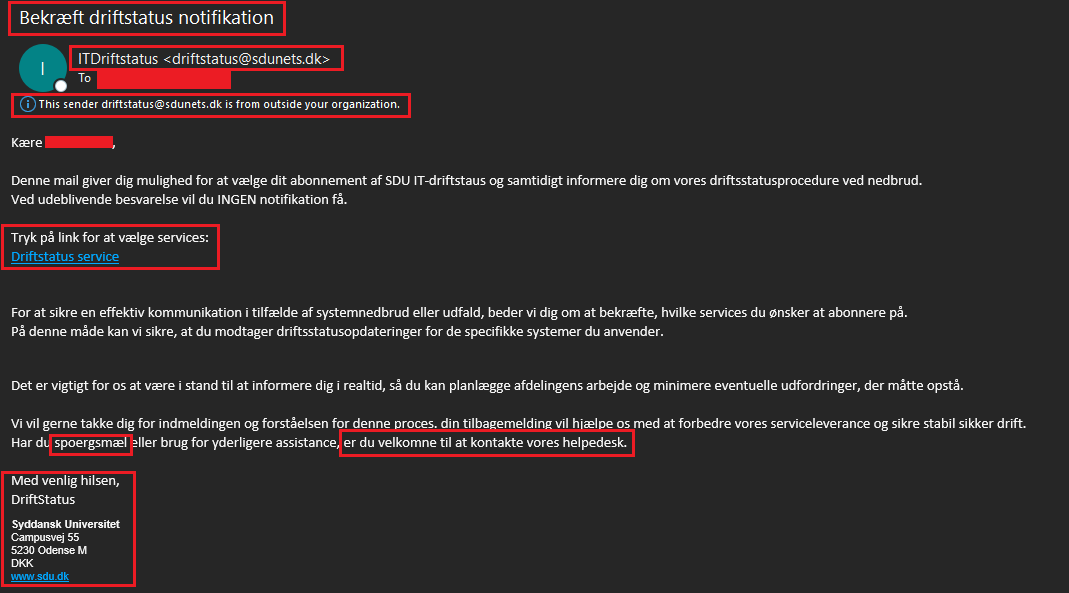
SDU used Microsoft's security platform to implement the campaign. The security platform is an integrated part of our comprehensive Microsoft solution.
During the campaign, it was recorded when a user clicked on the link in the email and whether login details were provided. All data was anonymised and aggregated into groups of more than 5 people, categorised by cost numbers.
It is worth noting that information about individual employee "clicks" was only available to two trusted SDU IT employees, who extracted the data and carefully anonymised it. The anonymised data was then handed over to SDU IT, Governance, Risk & Compliance, who were responsible for data processing.
The aggregated data is shared exclusively through the management channel with local management, who are responsible for disseminating the information in co-operation with the local GDPR and Information Security Coordinators. No managers or other employees will have access to data regarding any clicks made by individuals in connection with the campaign.
Avoid phishing
Still in doubt?
- Ask a colleague if you are in doubt. Has he or she received the same email? Can you call the sender back? This is especially relevant if you receive an email from "your boss" about paying out large sums of money. This is also known as CEO fraud.
- Call the Service Desk for clarification on 6550 2990 or send an email.
- Your bank or insurance company will never ask you to update your details via email. If in doubt, it's always best to call and ask before entering any information.
Do you have any questions?
The GDPR and Information Security Coordinators are your local contact and advisor for day-to-day data protection and information security at SDU.