Project time registration for academic staff (VIP) and managers (self-schedulers)
Shortcuts to mTIME
You are responsible for filling out your timesheet and approving it at the end of the month, no later than the 5th of the following month. Afterward, it will automatically be sent for approval by your personnel manager.
When you need to register time on an externally funded project, please contact your project finance officer to ensure that the timesheet requirements and the correct activities are completed, so that the timesheets comply with the reporting requirements of the external funding. Your project finance officer can also assist you if projects or activity levels are missing.
Please note the following: Only approve your timesheet once the entire month has been completed.
Log in to mTIME using your work email and corresponding password, if prompted (e.g., if you are using your own equipment). When using an SDU computer, you will be logged in automatically.
-
Select period
Switch to the month you wish to submit hours for:
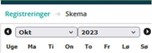 Skema" øverst samt valgene "Okt" og "2023". Nederst ses ugedagsforkortelserne i en række.">
At the top, you can choose to view the entire month instead of per week:

-
Find project numbers
Click "Absence type/project"

Select the project number(s) you wish to register hours for.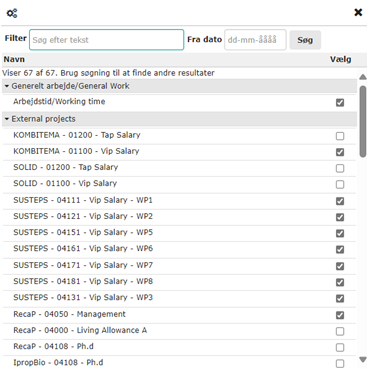
This only needs to be done the first time you register for a new activity on a project.
Holidays/Absence:
Planned holidays in HCM are automatically transferred to the timesheets in mTIME. If you wish to make changes to the planned holidays, these must be reported in HCM.Other absences such as illness and other unplanned absences must still be entered manually in the timesheet in mTIME.
Number of Hours: 1628 Annual Norm at SDU
You can fill in all the time you work on the timesheet; however, project hours must not exceed 100% of the norm time on an annual basis.
For grants where the funding body requires full time registration, all hours must be recorded either under general work or under the project(s). Your project finance officer will inform you if this is a requirement.
Activities/Lines
The timesheet is structured so that you can enter hours for general work corresponding to institute-related work.
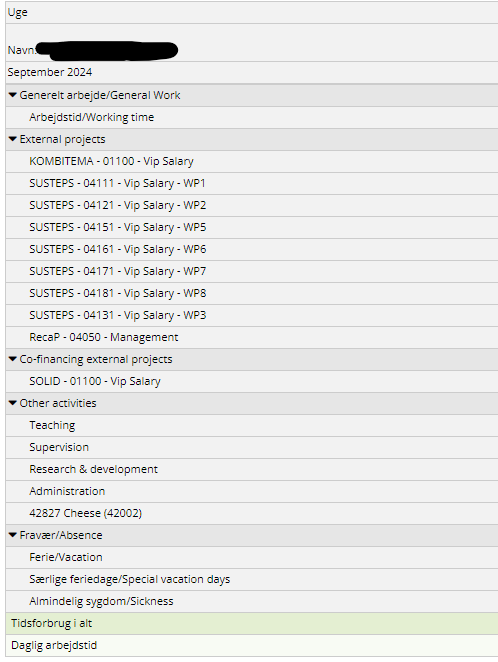
Below this, there are externally related activities, which are linked to the external projects you are associated with.
(If you are missing some activities, please contact your project economist).
You can also register co-financing.
NOTE: There may be additional, locally determined registration requirements at your institute. These potential requirements are not included in these guidelines.
The timesheet for the month can only be submitted ONCE per month, so do not send it before the month has ended.
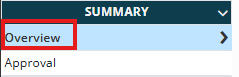
When all hours have been entered, click on “overview” under “summary”
Review the timesheet and click “User Approve”
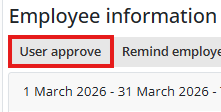
Your timesheet is now approved and will be forwarded for approval by your personnel manager.
If you experience:
Errors in Vacation from HCM:
Correct the error in HCM or contact your HR representative at the institute.
Data from HCM is updated in mTIME every 4 hours.
Missing activity / external project:
Contact your Project Economist at the institute
Technical issues with the mTIME system:
Contact mtime-support@sdu.dk
Converter
Minutes to decimal hours
Decimal hours to minutes
Weekly hours to daily hours
News regarding working hours
Support for time and hour registration
Do you need help? Contact your local superuser or visit our support page here.
You are also always welcome to write to us if you have any questions. Write to mtime-support@sdu.dk